For many users, online design work is an essential part of daily tasks and content production. However, switching between multiple tools for tasks such as AI image generation and complex background removal often reduces efficiency. One solution that has attracted attention is the Chrome extension "Canva Banana", which integrates Google Gemini 2.5 Flash for AI image generation and background removal, and provides seamless integration with Canva.
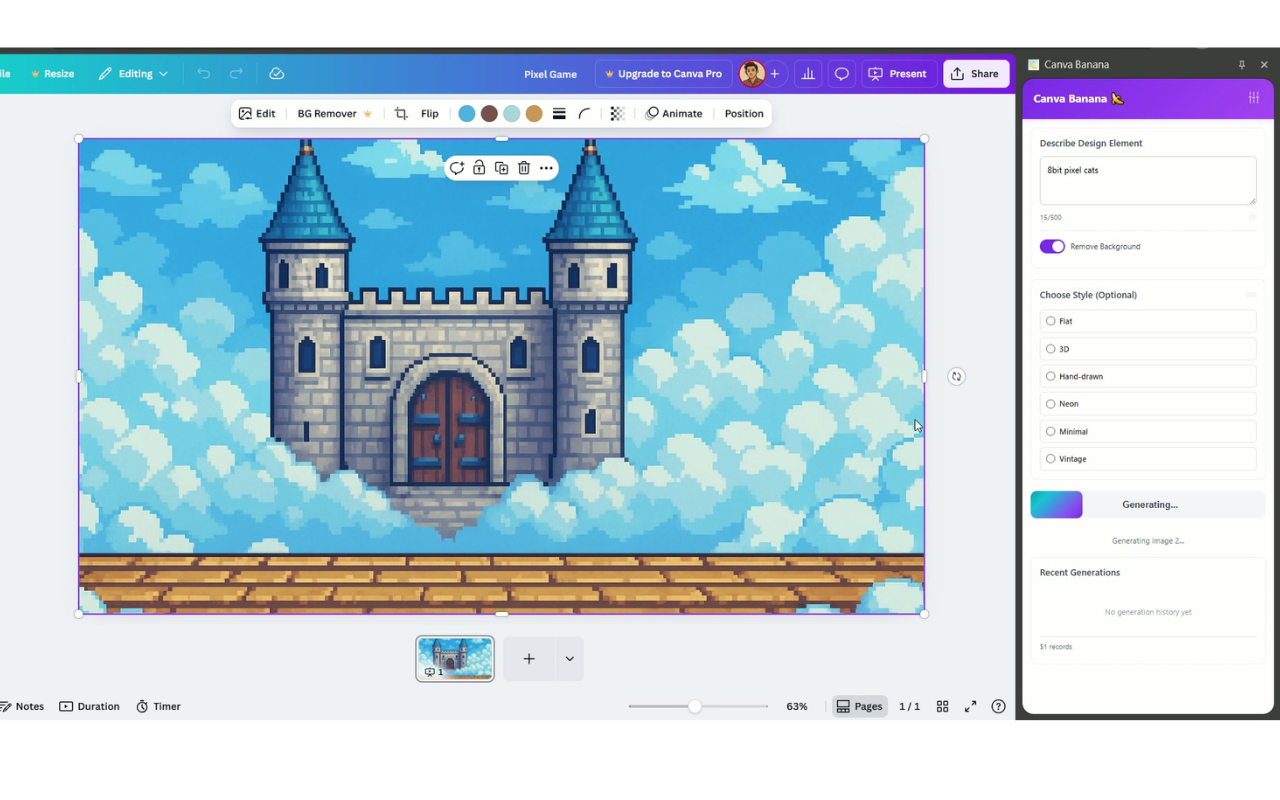
This extension supports multilingual prompts and automatic optimization of complex prompts, enabling rapid generation of a wide variety of design assets. Because it runs as a Chrome extension, it can be operated directly in the browser. Integrated as a Canva extension, it allows you to create and edit assets without interrupting your workflow.
🎨 Main features of Canva Banana
| Feature | Details |
|---|---|
| AI image generation support | Powered by Google Gemini 2.5 Flash to deliver high-quality image generation |
| Multilingual prompt support | Supports multiple languages, including Japanese |
| Automatic optimization of complex prompts | The AI refines descriptive instructions for more efficient realization of the desired image |
| One-click background removal | Create transparent-background assets with a single click |
| Direct integration with Canva | Operates from Canva's sidebar so you can work without disrupting your design flow |
Looking closer, the inclusion of Google Gemini 2.5 Flash provides sufficiently high image quality, supporting styles from smooth illustrations to photo-like textures.
A further strength is that it does not interfere with Canva's UI: by accessing the tool directly from the sidebar, introducing the extension into Chrome can improve overall workflow efficiency.
🚀 Use cases where Canva Banana shines
| User scenario | Example use cases |
|---|---|
| Branding managers | Creating logos and original brand assets |
| Social media marketers | Quickly producing eye-catching visuals for social media |
| Presentation creators | Enhancing presentations with professional illustrations and diagrams |
| E-commerce operators | Boosting product pages with stronger visual appeal to encourage purchases |
| Educational content creators | Efficiently generating vivid teaching illustrations |
It is particularly useful in situations where visual impact is crucial, such as brand design and social marketing. If you want to produce a variety of design styles without spending excessive time, it naturally becomes a strong option.
🛠️ How to get started with Canva Banana
- Install "Canva Banana" from the Chrome Web Store
👉 https://chromewebstore.google.com/detail/canva-banana/gjmjbccoephocopkdjjnbajdnemoehcg - Launch the extension to open the sidebar
- From the settings icon at the top left, enter your Gemini API key and adjust the language settings as needed.
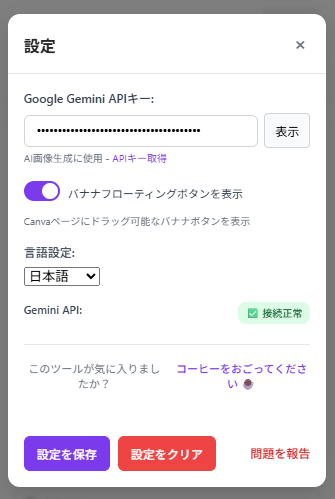
- Enter your image description in Japanese or English in the text input field
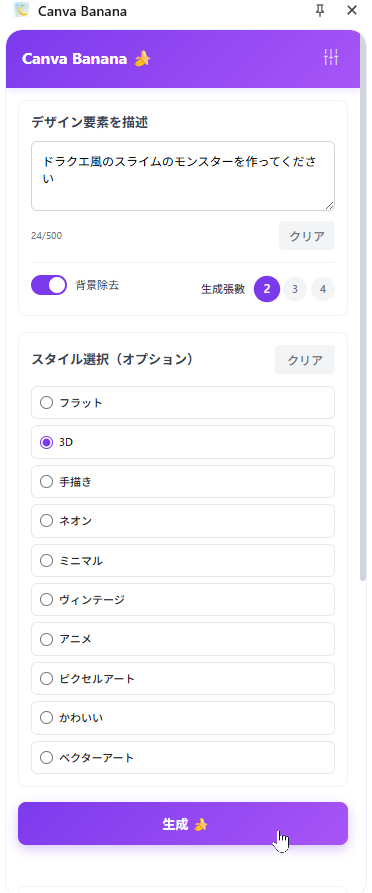
- Background removal for generated results is available with a single click
- Multilingual support is enabled (Japanese is supported)
🛠 Reviewer's impressions
It is very appealing that NanoBanana can be used from the sidebar, but it is unfortunate that an image attachment feature was not available 💧
I look forward to future updates!
🔐 Privacy policy and security considerations
Canva Banana uses Google Gemini 2.5 but transmits personal data only to the minimum extent required. According to the official privacy policy (see here), input information is used only within the scope of AI processing and is not provided to third parties. Security considerations have been made, so it can be used with confidence 😉.
📢 Summary: Professional-grade AI image generation and asset creation made simple with Canva Banana
Canva Banana combines AI image generation, multilingual support, background removal, prompt optimization, and Canva integration into a convenient tool.
It is easy for design beginners to use and helps improve efficiency for professionals.
If you want to reduce the effort of image creation or make design more enjoyable, this extension is recommended.
Download here▼
https://chromewebstore.google.com/detail/canva-banana/gjmjbccoephocopkdjjnbajdnemoehcg

 Hatena